Bitget API key connection guide
Follow the numbered steps on screen in order and you'll be done in 5 minutes. Never turn on withdrawal permission.
Switch to demo mode
Hover over the Futures menu at the top and click Classic demo trading. A DEMO label appears next to the logo.
Open Bitget ↗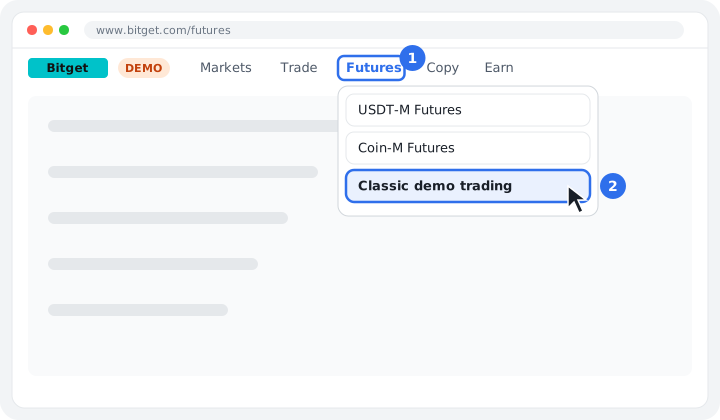
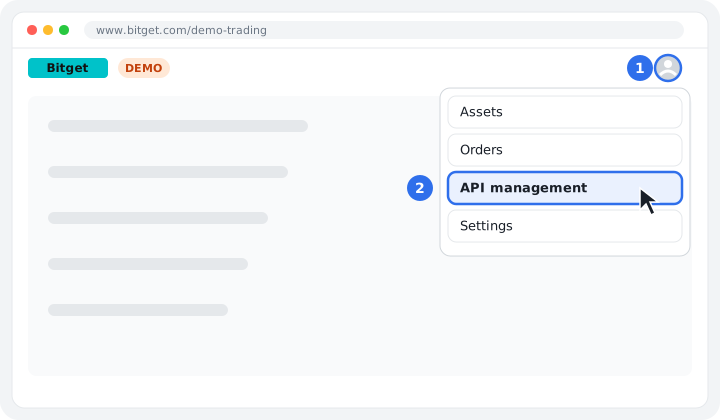
To API management
Click the profile icon in the top right → API management.
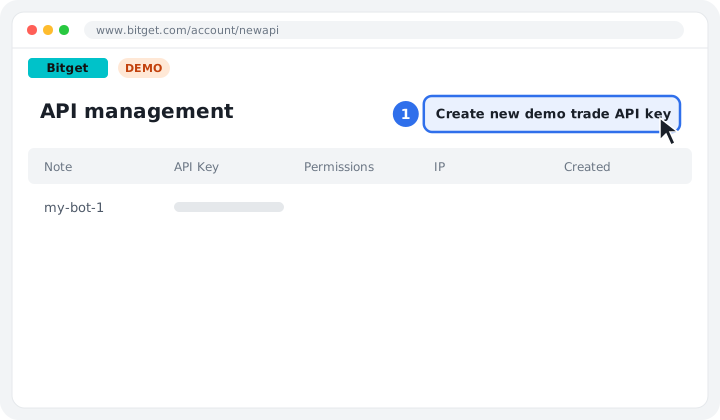
Create a demo key
Click the Create new demo trade API key button.
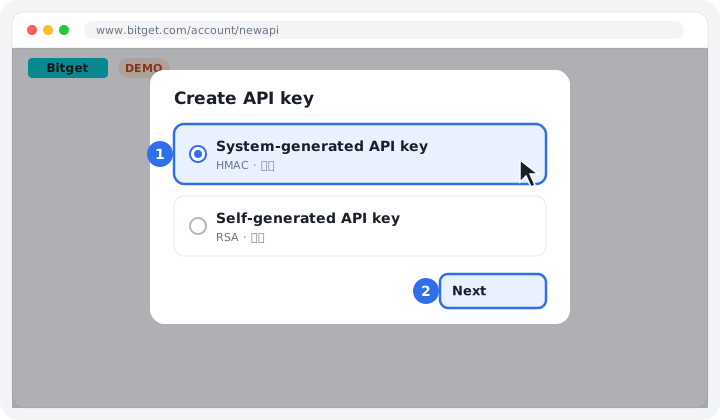
Select key type
Select System-generated (HMAC) and click Next.
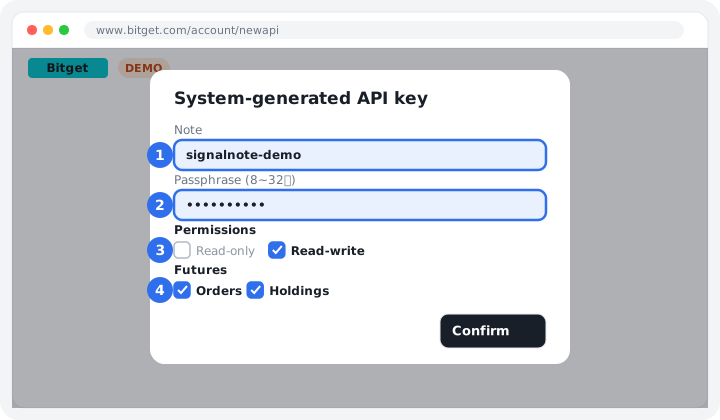
Name·Passphrase·Permissions
Write a name in Note and set a Passphrase (8-32 letters/numbers), noting it down separately. Select Read-write and check only Orders and Holdings under Futures.
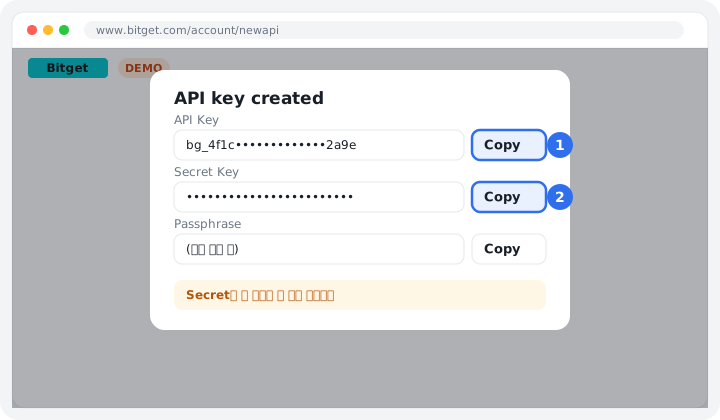
Copy key
Copy the API Key and Secret Key right away. You can't view the Secret again once you close this window.
Paste into SignalNote
On the exchange connection screen, select the exchange and account type, paste the copied keys, then click [Verify connection and save].
Connect now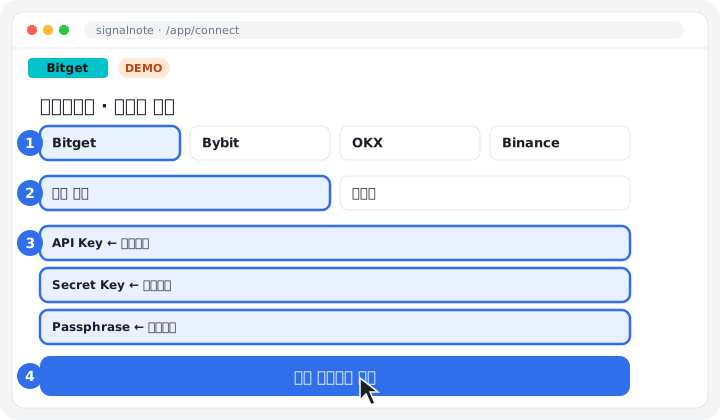
If your demo balance is low, request virtual USDT from Adjust demo trading funds on the demo futures screen (10,000 USDT recommended). It usually takes 30 minutes to 1 hour to show up in your account.
The images are simplified screens to help you understand; the exchange's actual layout may vary slightly with updates.