Bybit API key connection guide
Follow the numbered steps on screen in order and you'll be done in 5 minutes. Never turn on withdrawal permission.
Switch to demo mode
Click the profile icon in the top right → Demo Trading. Demo is a separate account.
Open Bybit ↗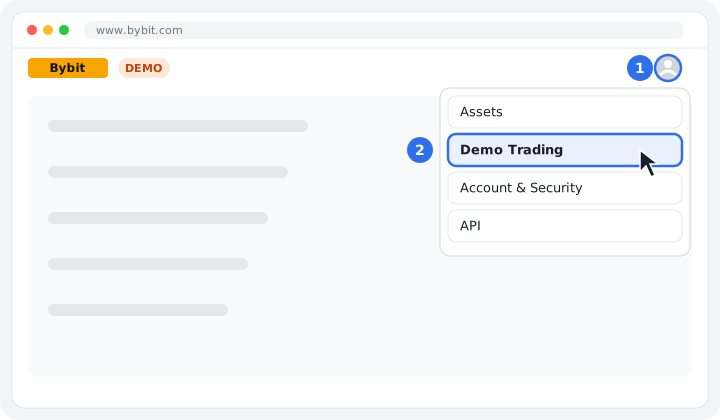
To API management
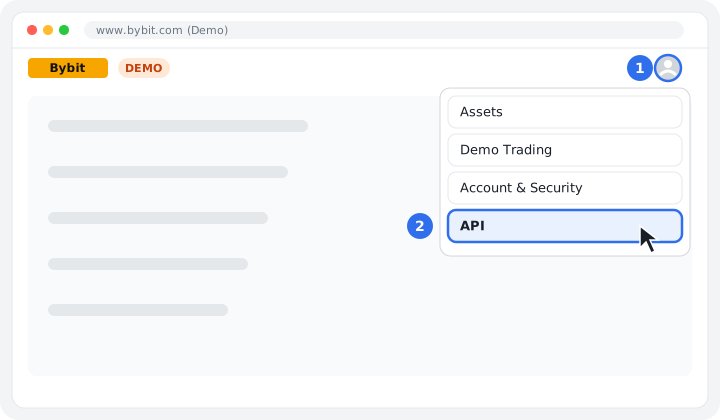
On the demo screen, click the profile icon → API.
Create key
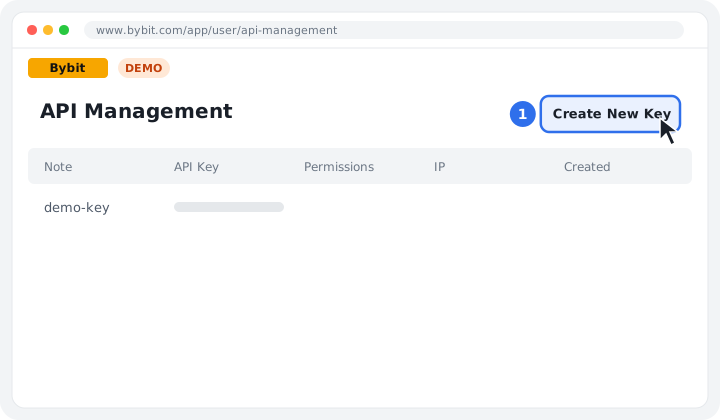
Click the Create New Key button.
Select key type
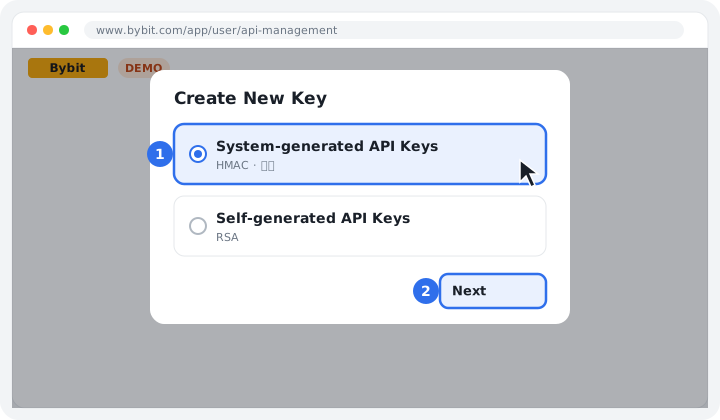
Select System-generated API Keys.
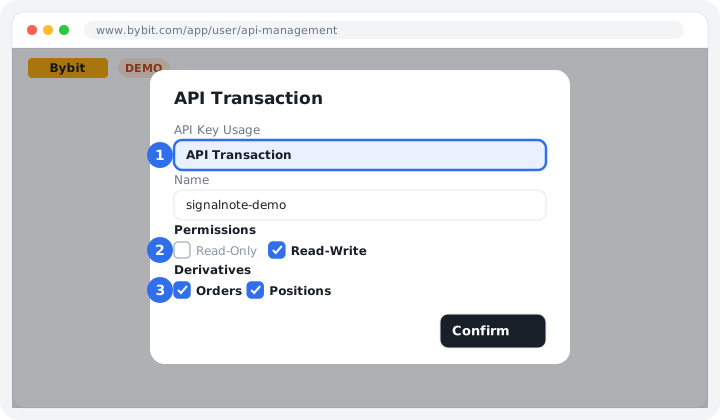
Purpose·Permissions
Select API Transaction, then check only Read-Write and Orders·Positions under Derivatives.
Copy key
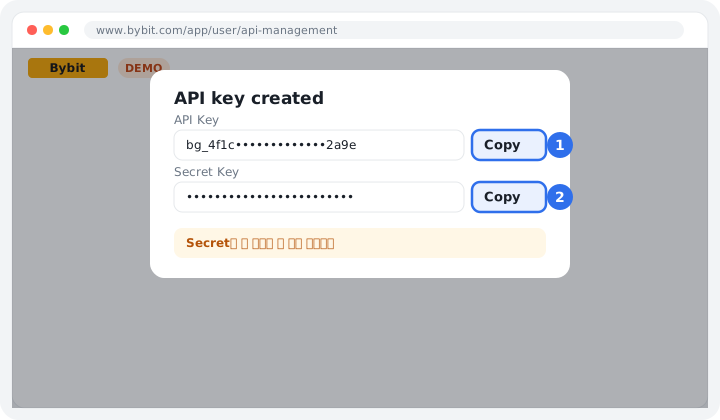
Copy the API Key and Secret Key right away. You can't view the Secret again once you close this window.
Paste into SignalNote
On the exchange connection screen, select the exchange and account type, paste the copied keys, then click [Verify connection and save].
Connect now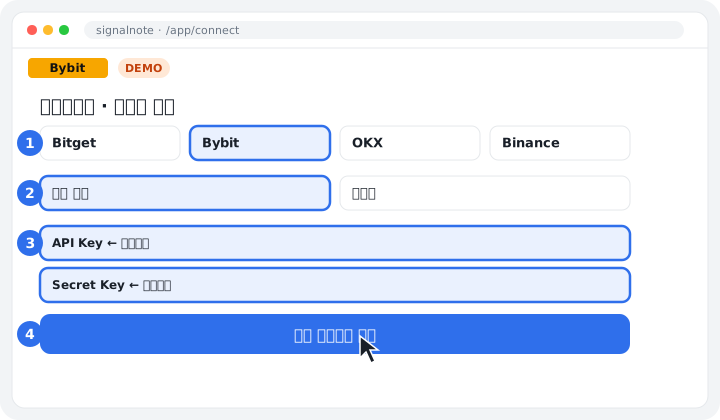
Error 10003 means demo and live keys were mixed up; 10010 means the IP doesn't match. We recommend a Unified Trading Account (UTA).
The images are simplified screens to help you understand; the exchange's actual layout may vary slightly with updates.